Git integration and SSH remotes
Download coming soonWhat changed since the last commit
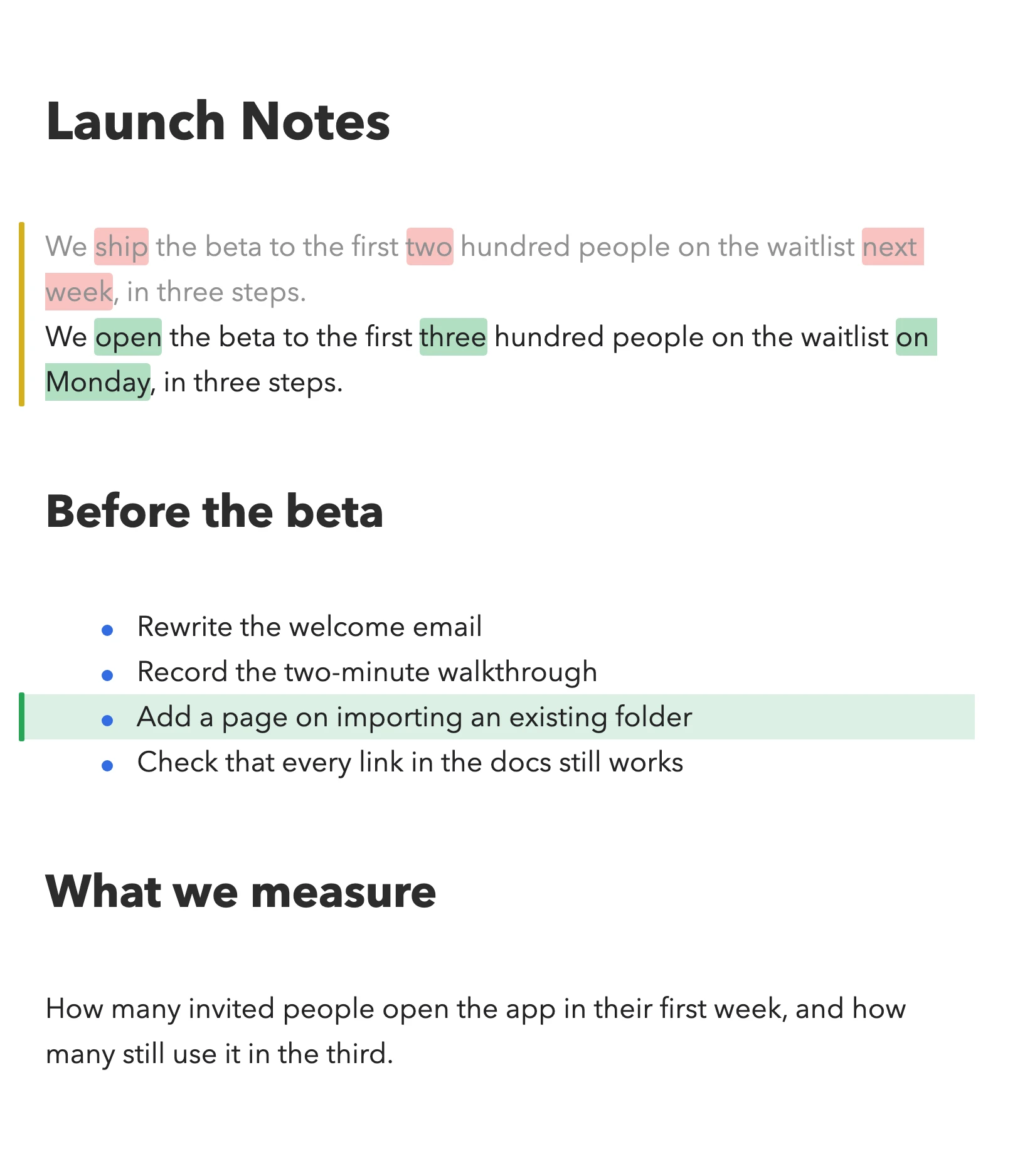
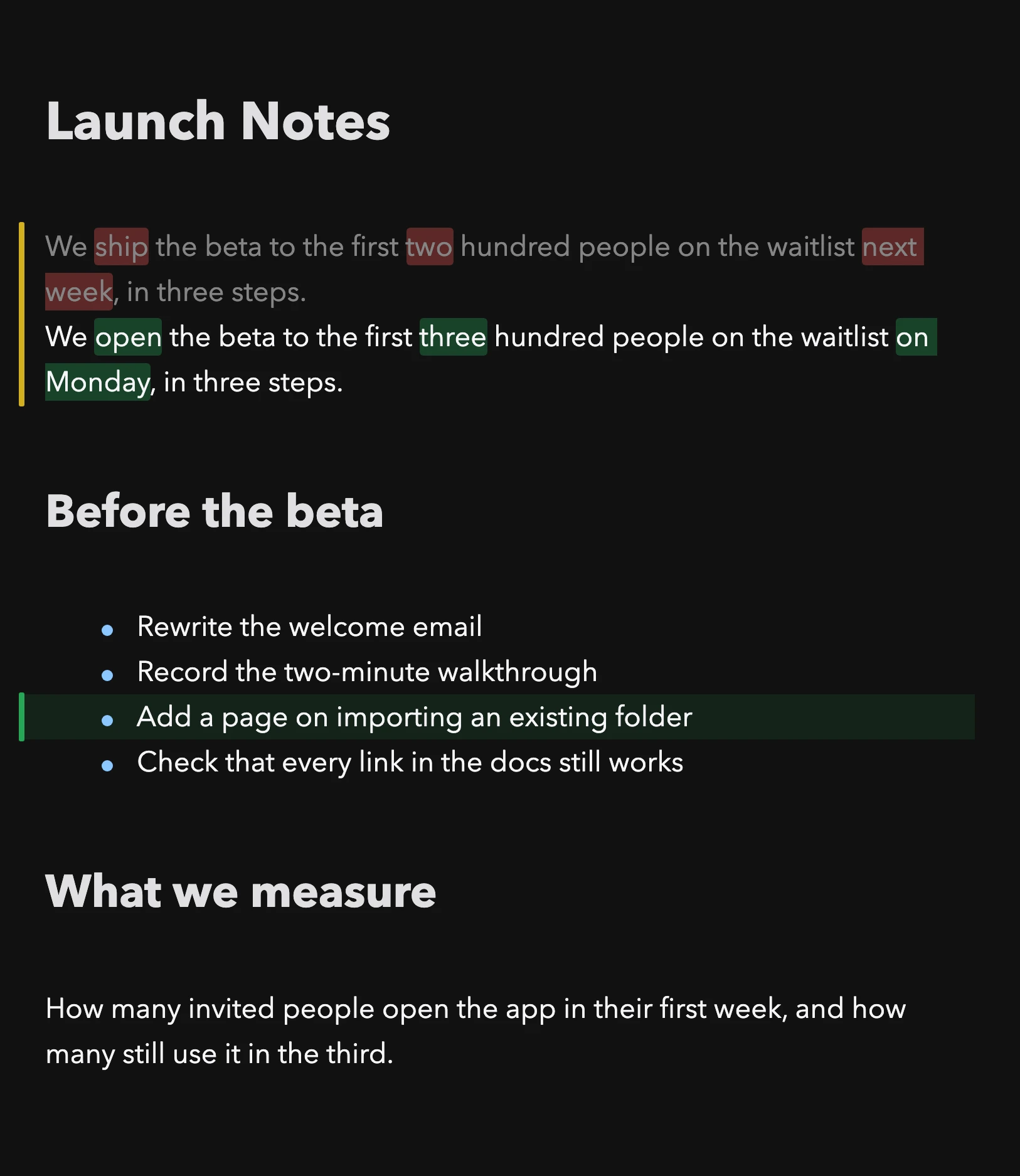
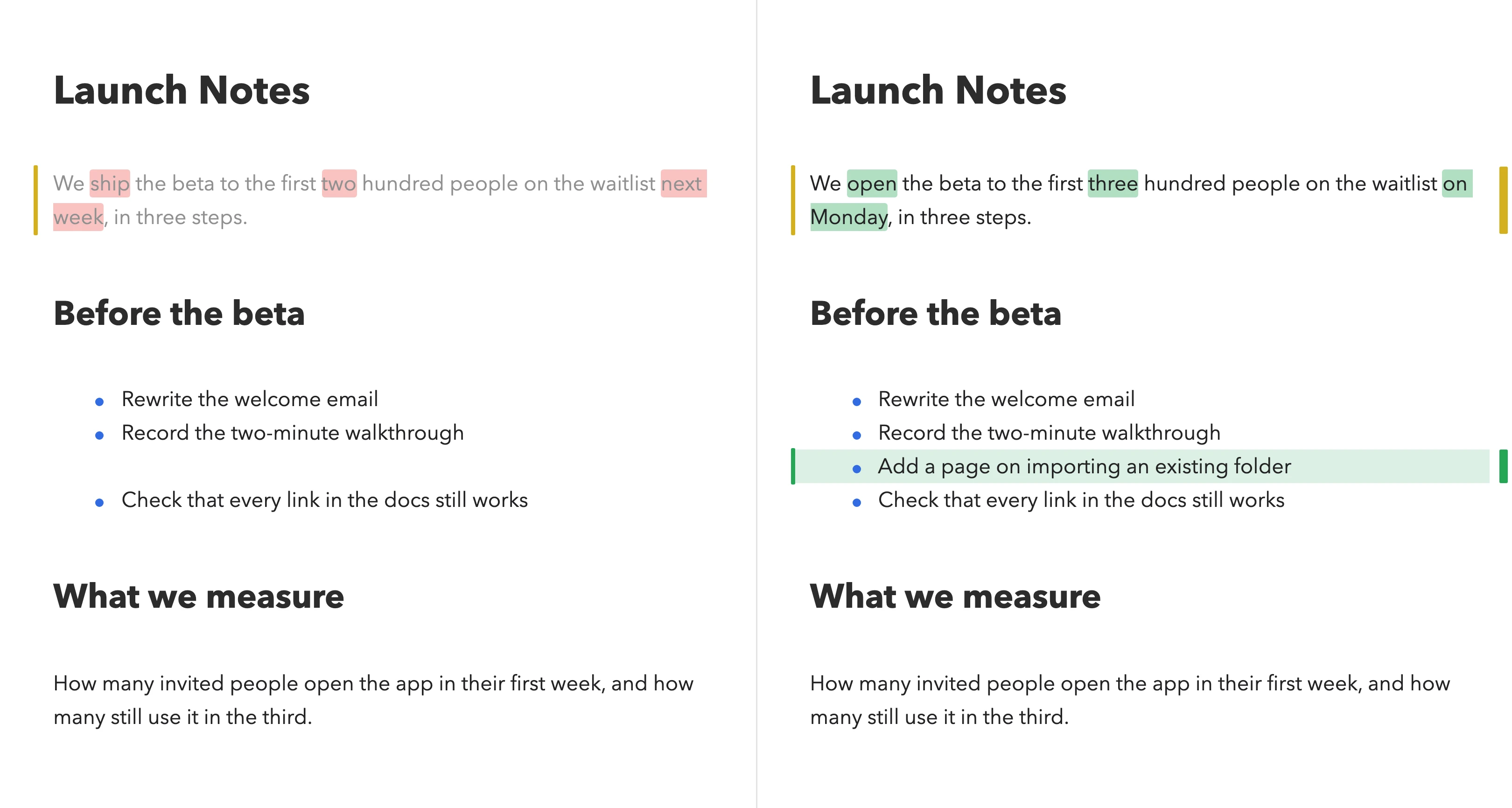
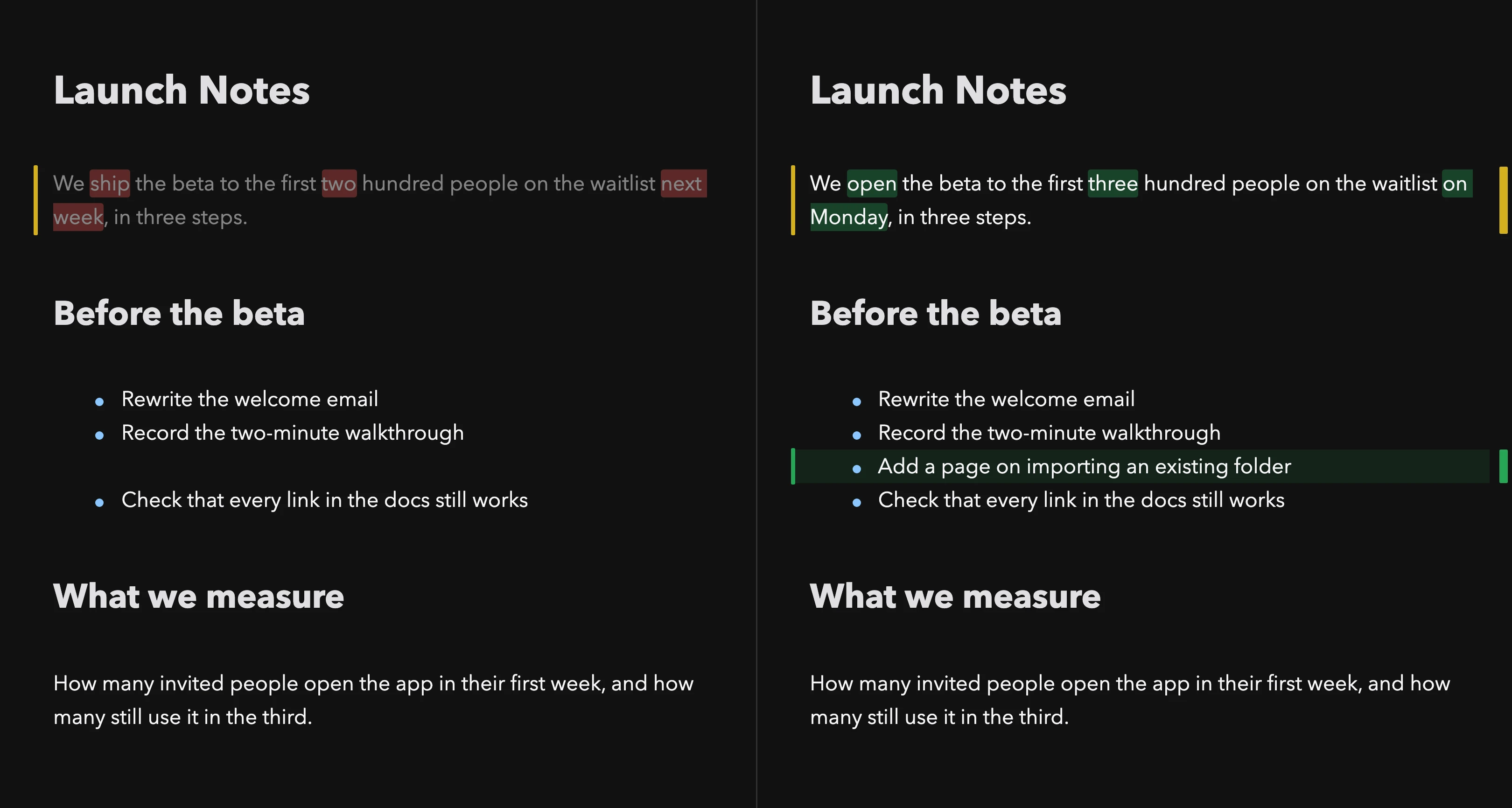
When a folder is a Git repository, Resomark reads it through Git. Changed files are listed in the sidebar with lines added and removed, and colored in the file tree. Open one, and what changed is right there in the typeset text, inline or side by side. Committing, pulling and pushing stay with you.
Every worktree, a click away
Resomark finds all of a repository’s worktrees on its own and shows which ones have uncommitted changes. Switch between them, or put the one you’re in on another branch. Give each agent a worktree of its own, and when one is done, switch over and see what it changed.
Commit history, without a checkout
Browse the commits without leaving your branch. Open one, and the files it changed line up in the sidebar; click a file to read it against the version before. A single file’s commits are in the Inspector too, and you can compare any two.
Another computer’s folder, on your Mac
When the code, the data and the agent all live on a server, connect that folder to Resomark over SSH. The sidebar shows the files over there, and you read, edit and review them as you would a local folder. The host can run macOS, Linux or Windows.
Your agent works there. You read along here.
Just like working locally
Syncs on its ownEdits sync on their own, with no saving by hand. The light by the folder’s name shows the connection; if it drops, your edits wait and sync once you’re back.
Changes, still trackedGit changes over there show up as usual, and folders outside Git track changes too: keep or revert each one.
Drag files in and outDrag a file from your Mac onto the sidebar to upload it, or drag one into Finder to copy it to your Mac.
Remote hosts can run macOS, Linux, or Windows on ARM64 or x64. What’s needed on the other machine installs itself the first time you connect. Resomark doesn’t commit, pull or push for you.